Weekly Posts, Made and Scheduled: Hands-Free Content Every Week
Every Sunday, Zoe brings 3 ideas for next week. Say yes, and Zoe’s team designs each post and writes its caption. Approve them, and your week is scheduled.
Every Sunday at 10:00 AMBluepine Labs · this run: Sun 8 Nov, for next week
Trends, occasions and your best postsResearcher and AnalystUp next
3 ideas for next weekCreative directorUp next
You say yes to the ideasYouUp next
A portrait design for eachDesignerUp next
A caption for eachCopywriterUp next
You approve each postYouUp next
Spread over Mon, Wed and FriPublisherUp next
Ideas for next week
Being made
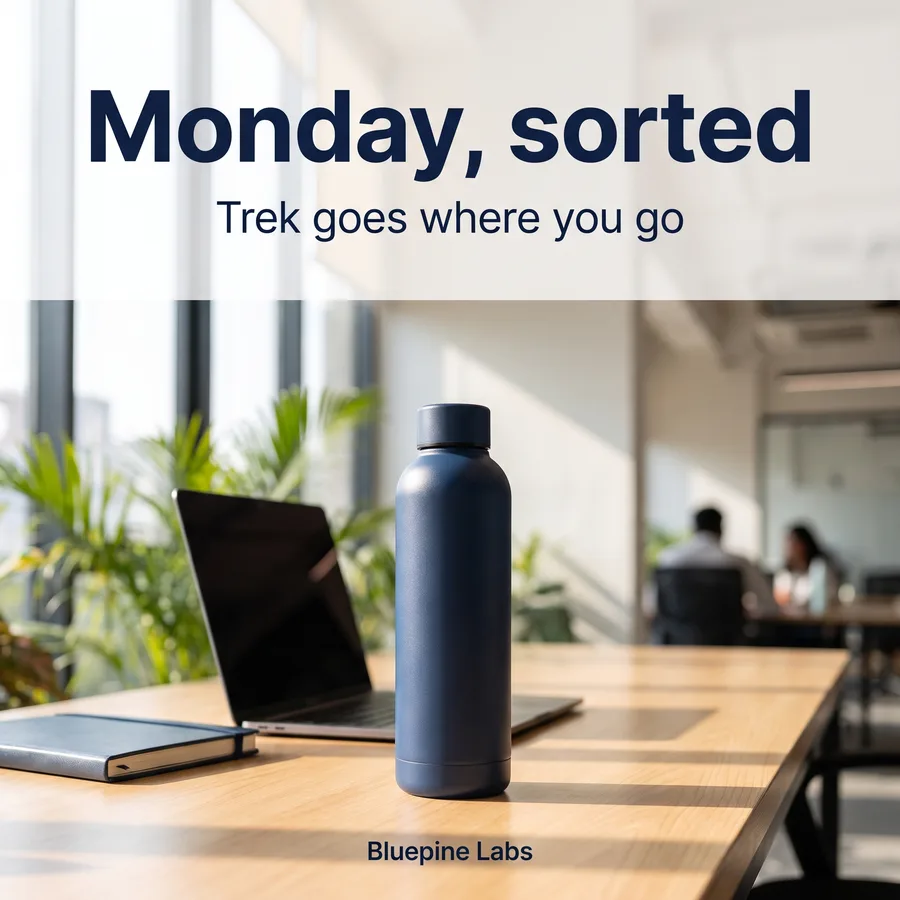
Image postMonday, sorted: Trek on a work deskDesk photos are your most saved posts
Image postTrek buddies, now in forest greenYour new color, shown side by side
Image postWeekend trek? Pack the Trek bottleTrend: weekend treks in your field
Zoe’s team every Sunday
Your week of posts, made for you
Sunday, 10 AM
Next week’s ideas, every Sunday
The Researcher checks trends and the occasions in the next 10 days, the Analyst reads your best posts of the last 14 days, and the Creative director picks 3 ideas. You say yes before anything is made.
Trends and occasions
Your best posts, last 14 days
You say yes to the ideas
Creative director
Comes up with big ideas and reel scripts
On it
Creative directorpicked 3 ideas for next week
Image postMonday, sorted: Trek on a work deskDesk photos are your most saved posts
Image postTrek buddies, now in forest greenYour new color, shown side by side
Image postWeekend trek? Pack the Trek bottleTrend: weekend treks in your field
Weekend treks are trending
Researcher · in your field this week
Creative director
Comes up with big ideas and reel scripts
On it
Creative directorpicked 3 ideas for next week
Image postMonday, sorted: Trek on a work deskDesk photos are your most saved posts
Image postTrek buddies, now in forest greenYour new color, shown side by side
Image postWeekend trek? Pack the Trek bottleTrend: weekend treks in your field
Made for you
Designs and captions in your brand
Once you say yes, the Designer makes a portrait design for each idea in your brand kit’s style, and the Copywriter writes a caption in your voice, with hashtags.
Portrait designs
Captions with hashtags
Your brand kit style
Designer
Makes the pictures
On it
Designermade next week’s 3 posts
Mon
New week, same bottle. Trek goes where you go.
Wed
Two colors, one trail. Forest green is here.
Fri
Rain or shine, pack the Trek bottle.
3 captions written
Copywriter · with hashtags
Designer
Makes the pictures
On it
Designermade next week’s 3 posts
Mon
New week, same bottle. Trek goes where you go.
Wed
Two colors, one trail. Forest green is here.
Fri
Rain or shine, pack the Trek bottle.
After your yes
Spread over Monday, Wednesday and Friday
You approve each finished post. Then the Publisher spreads them over Monday, Wednesday and Friday at your best time, and Zoe tells you next week is scheduled.
You approve each post
Mon, Wed and Fri
Your best time
Publisher
Posts only after you say yes
On it
Publisherhas next week’s posts ready
Monday, sortedInstagram and FacebookMon 9 Nov
Trek buddies, now in forest greenInstagram and FacebookWed 11 Nov
Weekend trek? Pack the Trek bottleInstagram and FacebookFri 13 Nov
A notice once it is all scheduled
Zoe · after your yes
Publisher
Posts only after you say yes
On it
Publisherhas next week’s posts ready
Monday, sortedInstagram and FacebookMon 9 Nov
Trek buddies, now in forest greenInstagram and FacebookWed 11 Nov
Weekend trek? Pack the Trek bottleInstagram and FacebookFri 13 Nov
Settings you control
The recipe, your way
These are the defaults. Change the day, time and steps of the agent any time.
Day and time
Sunday at 10:00 AM by default. Pick any day and time.
Number of posts
Three posts a week by default. Ask for more or fewer.
Designs and captions
Portrait designs in your brand kit style, captions in your voice with hashtags.
Spread over the week
Monday, Wednesday and Friday at your best time.
Accounts
Choose the accounts the agent posts to.
You approve twice
Say yes to the ideas, then to each finished post.
The guide
Weekly posts, made and scheduled: the complete guide
What you get, how it works, an example, time saved, settings, who approves and a getting started checklist.
What the Recipe Does
This recipe goes further than the Weekly content plan. Instead of stopping at ideas, Zoe's specialists produce the actual posts: by default, 3 portrait designs with captions and hashtags. You receive the ideas at a set time each week, then the finished posts to approve.
What You Get
Finished posts for the week, 3 by default.
On-brand designs in your brand kit's style.
Captions in your voice, with hashtags and calls to action.
Posts spread over the week at your best time.
An approval for the ideas, then for each finished post.
How It Works
Step 1: Set your weekly rhythm
Choose the day and time, and how many posts you want. By default it is Sunday at 10:00 am with 3 posts.
Step 2: Zoe plans and creates
The Researcher checks trends and the occasions in the next 10 days, the Analyst reads your best posts of the last 14 days, the Creative director picks the ideas, and once you say yes, the Designer and Copywriter build every post.
Step 3: Review the posts
See each post before it goes anywhere. Approve, edit or request changes.
Step 4: Scheduled automatically
Approved posts are spread over Monday, Wednesday and Friday at your best time.
Step 5: Results feed the next week
Each run reads your best posts of the last two weeks, so your results shape the next batch.
Example: Salon With Two Branches
Every Sunday morning, the owner receives three ideas: a hair care tip, a bridal package post and a team spotlight. The owner keeps all three, and a little later three finished posts arrive with designs and captions. Approving takes a few minutes, and the posts go out on Monday, Wednesday and Friday. For more, such as transformation Reels or a Google Business update per branch, the owner raises the number of posts or adds steps to the agent.
Time Saved
Task
Typical manual time per week
With the recipe
Planning
1 to 2 hours
Minutes to review
Designing
3 to 5 hours
Review and small edits
Writing captions
1 to 2 hours
Review and small edits
Scheduling
30 to 60 minutes
Automatic
Times are illustrative and vary by business.
Settings You Control
Setting
Options
Day and time
Sunday at 10:00 am by default; any day and time
Number of posts
3 by default; more or fewer
About your business
The short brief Zoe plans from, editable anytime
Accounts
The accounts the agent posts to
Steps
Formats, posting days and more, by editing the agent's steps, for example to add a Reel
Best For
Owners with no time for content creation.
Lean marketing teams that need volume.
Agencies producing weekly batches for many clients.
Tips
Upload real photos and short clips each week; they make AI-created posts feel authentic. Use the first few weeks to give feedback so batches need fewer edits over time. Keep one or two slots for spontaneous posts about things happening in your business.
Common Mistakes to Avoid
Approving without reviewing prices and dates.
Never adding real photos, which makes feeds feel generic.
Ignoring the weekly review that improves future batches.
2Choose a number of posts you can review comfortably.
3Set the day and time for your weekly batch.
4Review the first batch carefully and give detailed feedback.
5Turn on Reply to every comment so new engagement is handled.
6Turn on the Best and worst posts review to see how the batch performed.
Why This Recipe Changes the Game
Most small businesses do not fail at social media because of a lack of ideas; they fail because content production competes with running the business. This recipe removes production from the owner's week entirely. The only task left is a short approval session, which is realistic even in busy seasons. Over months, that consistency compounds into more reach, more trust and more inquiries.
Who Approves?
You do. The ideas and the finished posts come to you in ZocialOne, and nothing is scheduled until you say yes.
A week of posts, made for you
Free for 7 days, no card needed. Turn on Weekly posts, made and scheduled from the Agents page and Zoe runs it for you, asking before anything goes live.