


YouTube

Schedule Uploads, Generate AI Shorts & Track YouTube Channel Growth

Shorts and videos, titles, descriptions, tags, thumbnails and playlists, and your channel’s numbers. Zoe runs your YouTube channel, and nothing is published until you approve it.

7-day free trial

app.zocialone.ai/zoe
Make a 30-second Short from our UX/UI best practices poster
Zoe’s team at work4 steps
  • Video producerDone
    • Your UX/UI poster as the opening frame
    • Gemini Omni 1.1, up to 40 seconds
    • Music and voiceover in the same pass
    • Credits stated before anything is spent
Your 30-second Short
Length
30 seconds, vertical for Shorts
Made with
Gemini Omni 1.1
Opening frame
Your UX/UI best practices poster
Sound
Music and voiceover, made in the same pass
Cost
Credits shown before Zoe spent them

Make a Short

Make a 30-second Short from our UX/UI best practices poster

Zoe’s team at work

  • Video producer: Your UX/UI poster as the opening frame
  • Video producer: Gemini Omni 1.1, up to 40 seconds
  • Video producer: Music and voiceover in the same pass
  • Video producer: Credits stated before anything is spent
Your 30-second Short
Length
30 seconds, vertical for Shorts
Made with
Gemini Omni 1.1
Opening frame
Your UX/UI best practices poster
Sound
Music and voiceover, made in the same pass
Cost
Credits shown before Zoe spent them

Write the title and tags

Title and tags

Write the title, description and tags for this video

Zoe’s team at work

  • Copywriter: Your voice, from your past posts
  • Copywriter: A title that says what the video shows
  • Copywriter: Tags people search for
Title, description and tags
Title
5 UX/UI rules every beginner should know | Apex Academy
Description

Clear navigation, visual hierarchy, a consistent look, user feedback and accessibility, in 30 seconds. Our 12-week UI/UX course starts on 2 November, in Bengaluru and online, from ₹24,999. Book a free demo class.

Tags
ux designui designdesign courselearn figmaBengaluru
Written in your voice, from your past posts. Change any word before you approve.

Make the thumbnail

Thumbnail

Make a thumbnail for the UX/UI rules video

Zoe’s team at work

  • Designer: Your logo, colours and fonts
  • Designer: Your poster, resized for a YouTube thumbnail
  • Designer: Kept clear of where YouTube shows the length
A thumbnail for the UX/UI rules video
0:30
Your logo, colours and fontsMade from your posterWords clear of the video length
Click any word on it to change it.

Schedule the video

Schedule

Put the Short on my channel on Saturday at 6 PM

Zoe’s team at work

  • Publisher: Your YouTube channel
  • Publisher: Title, tags, thumbnail, playlist and visibility set
  • Publisher: Waits for your approval before it is scheduled
Ready for your channel
Waiting for you
Apex Academy· Short

5 UX/UI rules every beginner should know | Apex Academy

Playlist: Design in 30 secondsPublic
Planned for Sat 24 Oct, 6:00 PM
Thumbnail
Made from your UX/UI poster, in your logo, colours and fonts
Tags
ux design, ui design, design course, learn figma
Change itApprove and schedule

Show me the week’s posts

Channel numbers

How is my YouTube channel doing this month?

Zoe’s team at work

  • Analyst: Your channel’s numbers
  • Analyst: Every video and Short, one by one
  • Analyst: Compared with last month
Your channel this month
Views
41,800
↑ 22% vs last month
Subscribers
+310
↑ 9% vs last month
Likes
2,950
↑ 14% vs last month
  • 5 UX/UI rules every beginner should knowShort · your most viewed this month18,400 views
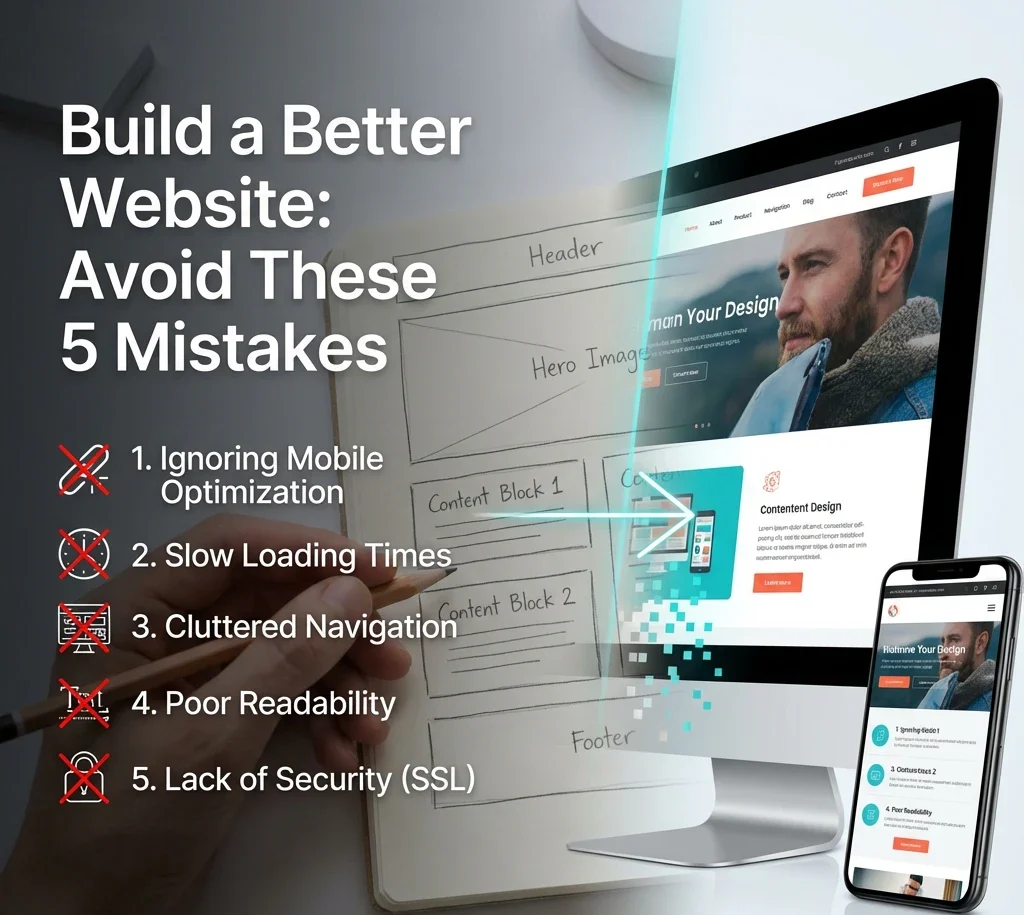
  • Build a better website: 5 mistakes to avoidVideo6,200 views
Shorts brought most of your views. Zoe suggests two more Shorts from your course lessons.

Make two more Shorts like the best one

Zoe’s team on YouTube

Your channel, looked after

Shorts and videos

Shorts made from your own photos

Zoe turns a lesson poster or photo into a Short with music and voiceover, made with Gemini Omni, up to 40 seconds. You see the credits before anything is spent.

  • Shorts up to 40 seconds
  • Music and voiceover
  • Credits shown first
Video producer

Video producer

Makes the reels and videos

On it
Video producer

Video producer made a Short from your UX/UI poster

Length
30 seconds, vertical
Made with
Gemini Omni 1.1
Sound
Music and voiceover
Thumbnails

A thumbnail in your brand for every video

Zoe makes the thumbnail from your poster, in your logo, colours and fonts, and keeps the words clear of where YouTube shows the video length.

  • Your logo and colours
  • Resized from your poster
  • Click any word to change it
Designer

Designer

Makes the pictures

On it
Designer

Designer made the UX/UI rules thumbnail

Made from your UX/UI best practices poster.

Publishing

Every detail set before it goes up

Each video or Short goes to your channel with its title, description, tags, thumbnail, playlist and visibility. Nothing is published until you approve it.

  • Playlists
  • Public, private or unlisted
  • Scheduled after your yes
Publisher

Publisher

Posts only after you say yes

On it
Publisher

Publisher has your Short ready

5 UX/UI rules every beginner should know | Apex Academy

Playlist: Design in 30 seconds · Public
Planned for Sat 24 Oct, 6:00 PM
Results

Know which videos work

Your channel’s numbers, every video and Short one by one, and what to make next.

  • Channel numbers
  • Every video and Short
  • What people watch, in your language
Analyst

Analyst

Reads your numbers, writes your reports

On it
Analyst

Analyst read your channel this month

Views
41,800↑ 22%
Subscribers
+310↑ 9%
  • 5 UX/UI rules for beginnersShort · your most viewed18,400
  • 5 website mistakes to avoidVideo6,200
Open the full report
What Zoe does

What Zoe does on YouTube

Your channel, looked after. Zoe makes and prepares every video, you approve it.

Shorts from your photos

A Short from a lesson poster or product photo, with music and voiceover, made with Gemini Omni, up to 40 seconds.

Titles, descriptions and tags

Written in your voice, from your past posts, for every video and Short.

Thumbnails in your brand

Your poster resized into a thumbnail, in your logo, colours and fonts. Custom thumbnails need a verified YouTube channel.

Playlists and visibility

Add each video to a playlist and make it public, private or unlisted.

Scheduled after your yes

Zoe plans the time. Nothing is published until you approve it.

Channel numbers

How your channel is doing, and how each video and Short did.

What people watch

YouTube search in your language, and the comments under the most watched videos.

Any video, summed up

Paste a YouTube link and Zoe gives you its main points and what viewers said.

Creators who fit you

Zoe finds YouTube creators whose viewers match your business.

Let Zoe look after your YouTube channel

Start the free trial and link your YouTube channel.

7-day free trial · No card needed · 600 Zoe credits

Brand guardianResearcherCompetitor analystStrategistCreative directorCopywriterZoe and the team are ready
FAQ

Questions about YouTube

What can Zoe do on YouTube?

Zoe makes Shorts from your photos with Gemini Omni, writes titles, descriptions and tags, designs thumbnails in your brand, sets the playlist and visibility, schedules each video or Short after you approve it, and shows your channel’s numbers.

Will Zoe publish to my channel without asking?

No. Every video and Short waits for your approval. Once you approve, it is scheduled for the day and time you see.

Which YouTube channels can I link?

Sign in with the Google account that owns the channel. Only channels created directly from that Google account can be linked. Channels you manage through shared access or as a brand manager cannot be linked.

Can I upload my own videos?

Yes. Post your own video or Short, or ask Zoe to make one. Either way, Zoe can write the title, description and tags and make the thumbnail.

Does Zoe reply to YouTube comments?

No. YouTube comments do not come into the ZocialOne inbox. The inbox covers Instagram, Facebook, LinkedIn and Google Business.