Agency Workspace: Manage Every Client in One Place
Give every client a workspace of its own, with its own brand kit, plan and accounts. Zoe’s team does the production, so you can take on more clients without hiring at the same pace.
Professional plan · 8 accounts · its own Zoe credits
Brand kit
Warm and simple. The dish comes first.
Accounts
This week
2 posts waiting for your yes
Weekend Pizza Night
Pasta special
Zoe’s team for your agency
Every client looked after, in its own workspace
A workspace per client
Every client in its own brand
Each client workspace has its own brand kit and plan, so Zoe makes each client’s posts in their logo, colors and voice, and never mixes them up.
A workspace per client
Its own brand kit
Nothing crosses over
Designer
Makes the pictures
On it
Designermade posts in 3 client workspaces
Basil Bistro
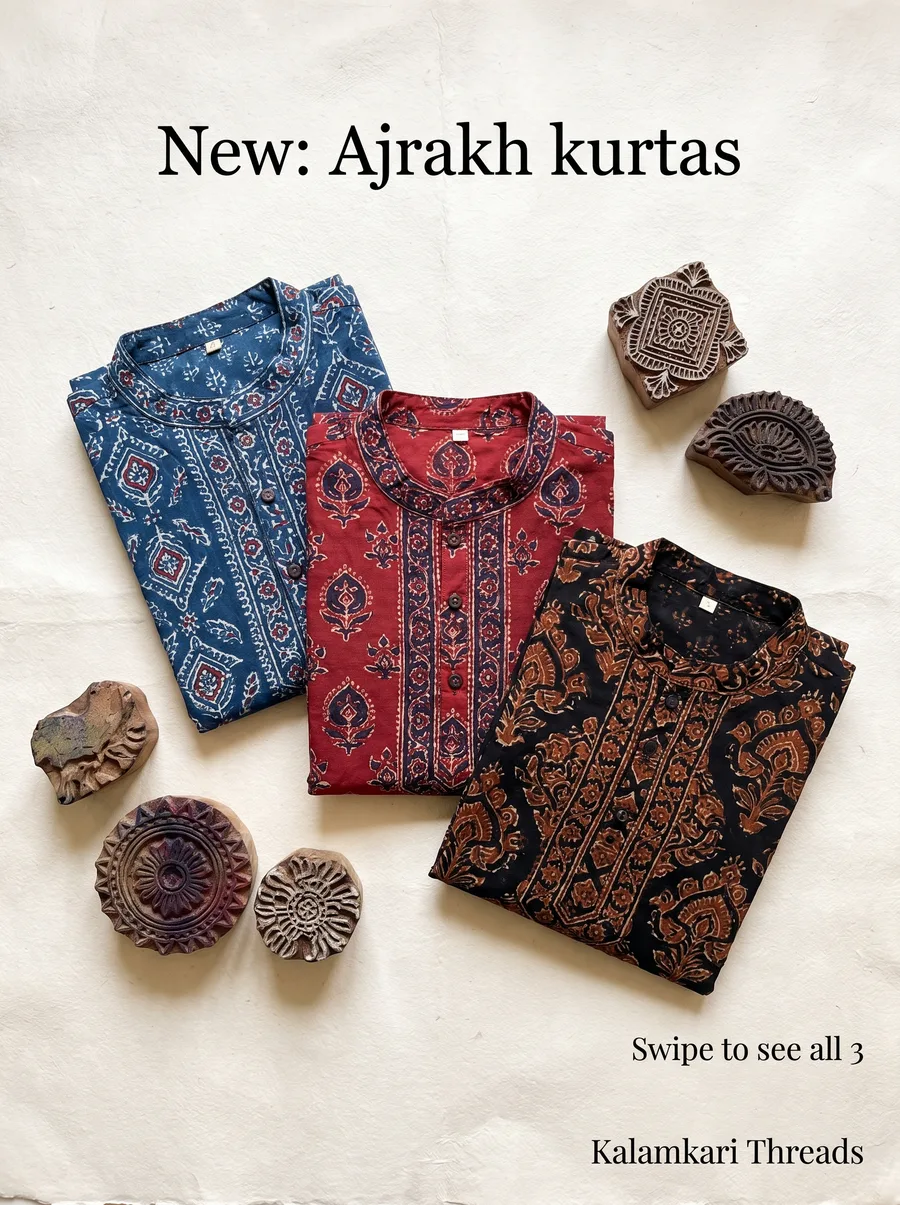
Kalamkari Threads
Bluepine Labs
Captions in each client’s voice
Copywriter · 3 workspaces
Designer
Makes the pictures
On it
Designermade posts in 3 client workspaces
Basil Bistro
Kalamkari Threads
Bluepine Labs
Your week
The agency week, started by Zoe
A morning brief across clients at 7:00 AM, a weekly content plan for each workspace on Monday at 9:00 AM, and last month’s report on the 1st. Change any day or time.
Morning brief
Weekly plan per client
Monthly report
Strategist
Plans what to post and when
On it
Strategistlined up Monday for 3 clients
7:00 AMMorning briefWhat happened across all clients
9:00 AMBasil Bistro7 post ideas to keep or skip
9:00 AMKalamkari Threads7 post ideas, with Diwali
9:00 AMBluepine Labs5 post ideas for the launch
Nothing posts without your yes
Publisher · in every workspace
Strategist
Plans what to post and when
On it
Strategistlined up Monday for 3 clients
7:00 AMMorning briefWhat happened across all clients
9:00 AMBasil Bistro7 post ideas to keep or skip
9:00 AMKalamkari Threads7 post ideas, with Diwali
9:00 AMBluepine Labs5 post ideas for the launch
Client reports
A report for each client on the 1st
The Analyst writes last month’s report for each client in plain words: growth, best posts and link clicks, as a PDF you can send.
Growth
Best posts
A PDF per client
Analyst
Reads your numbers, writes your reports
On it
Analystwrote October’s reports
Basil BistroCalls from Google up 12% · best: Pizza NightPDF
Kalamkari ThreadsSaves up 21% · best: Ajrakh kurtasPDF
Bluepine LabsLink clicks up 8% · best: Weekend trekPDF
Open the 3 PDFs
Each report in its own workspace
Analyst · 1 Nov, 9:00 AM
Analyst
Reads your numbers, writes your reports
On it
Analystwrote October’s reports
Basil BistroCalls from Google up 12% · best: Pizza NightPDF
Kalamkari ThreadsSaves up 21% · best: Ajrakh kurtasPDF
Bluepine LabsLink clicks up 8% · best: Weekend trekPDF
Open the 3 PDFs
Each client workspace
A separate home for every brand
One login, and nothing crosses over between clients.
Its own workspace
Accounts, calendar, inbox and reports for one client only.
Its own brand kit
Logos, colors, fonts and voice, applied by Zoe on every post.
Your approval first
Every post waits for your yes, so nothing is published by mistake.
Team roles
People see only the clients they work on, nothing more.
Groups for big clients
Group a client’s accounts by brand, region or outlet.
A PDF report for each client on the 1st, in plain words.
The guide
Agency workspaces: the complete guide
What each workspace gives a client, how AI changes agency work, a typical week and the recipes agencies use most.
The Problem With Agency Workflows Today
Content lives across Google Drive folders, WhatsApp groups and design tools.
Drafts and feedback go back and forth in long email threads.
Every client has different brand rules, and new team members miss them.
Monthly reports take a full day per client.
Margins shrink because each new client needs more people.
What a ZocialOne Workspace Gives Each Client
A separate home for every brand
Each client gets its own workspace with connected accounts, brand kit, content calendar, inbox and reports. Nothing crosses over between clients.
Brand kit that travels with every post
Logos, colors, fonts, tone of voice and banned words are stored per client. Zoe's Designer and Copywriter apply them automatically, and the Quality lead checks every draft against them.
Approvals before anything goes live
Posts wait for your approval, so nothing is published by mistake.
Team roles
Give strategists, designers and account managers access to the clients they work on, nothing more.
Account grouping for big clients
Multi-brand and multi-location clients can have accounts grouped by brand, region or outlet, so you can post centrally or locally.
How AI Changes Agency Economics
Agencies sell expertise but spend most hours on production. Zoe's team takes over repeatable work:
Your team moves from production to strategy and client relationships, where agencies earn loyalty.
A Typical Agency Week With Workspaces
Monday: Zoe's morning brief (7:00 am by default, or the time you choose) summarizes what happened across clients. At 9:00 am, the weekly content plan brings post ideas for each workspace.
Tuesday: Your team reviews and edits drafts, and you approve the ones ready to go.
Wednesday to Friday: Approved posts publish automatically. Comments and messages are handled in the unified inbox.
On the 1st: Last month's report is ready as a PDF for each client, ready to send.
You can change the day, time and steps of each of these.
Recipes Agencies Use Most
Weekly content plan per client
Festival and occasion posts for each client
Competitor watch for each client's category
Best and worst posts review
Comment keyword reply and comment-to-DM
Monthly report
Pricing for Agencies
Every ZocialOne plan includes Zoe and the team of AI specialists. Plans differ in accounts, Zoe credits, team members and a few extras. The Business plan at ₹14,999 a month + 18% GST includes 25 accounts, 4,500 Zoe credits and 5 team members (introductory offer). Agencies managing larger portfolios can contact sales for higher account volumes.
Tips to Roll Out Workspaces Smoothly
1Start with two or three clients you know well.
2Build each brand kit carefully: it is the foundation for AI quality.
3Decide who on your team checks each client's posts before you approve them.
4Use the first month to compare AI drafts with your team's usual output.
5Expand to all clients once your team trusts the workflow.
With Zoe MCP, your team can also work from Claude, ChatGPT or Cursor: ask for a client's analytics, draft posts or schedule content without switching tools.
Serve more clients with the same team. Start your agency trial free.
Not today. Every post waits for your approval before it goes live, so you can share drafts with clients the way you do now and approve once they agree.
How many clients can I manage?
As many as you have workspaces for. Each workspace has its own plan, so a small client can sit on Essential and a large one on Business. Larger agencies can ask sales for more accounts.
Do clients see each other's data?
No. Each workspace is separate.
Can I use my own designers with Zoe?
Yes. Your designers can edit Zoe's drafts or upload their own work for scheduling.