Try our Festival Post Generator Live!
Select a festival, upload your logo, pick your brand colors, and generate a branded, on-theme design in seconds. You can download or schedule your posts directly to your social channels. Try the Generator Now.
Every business owner knows the feeling of realizing a major festival is two days away and there is no post ready. A dedicated festival post generator removes the last-minute scramble by producing a branded, on-theme design in the time it takes to select a festival and upload a logo, rather than briefing a designer or digging through last year's templates.
Why Festival Posts Matter for Indian Businesses
Festivals are some of the highest-attention moments on Indian social media, when audiences expect brands to show up with a greeting or an offer. Businesses that skip festival content altogether look disconnected from their own customer base, while a well-timed, well-branded post costs almost nothing to produce and keeps a brand visible in a crowded feed. Beyond the four major festivals, showing up for regional and community-specific occasions signals that a brand understands its actual customer base rather than treating India as one homogenous market.
How to Use the Festival Post Generator
- Select the festival you are posting for.
- Upload your logo and choose your brand colors so the output matches your identity.
- Generate the post, review the caption and design, and make any tweaks.
- Download it, or schedule it directly to your connected platforms.
Because brand colors and logo placement are saved once you set them up, generating a second or third festival post later in the year takes even less time than the first, since the tool remembers your branding.
2026 Festival Calendar
| Festival | 2026 Date | Suggested Post Theme |
|---|---|---|
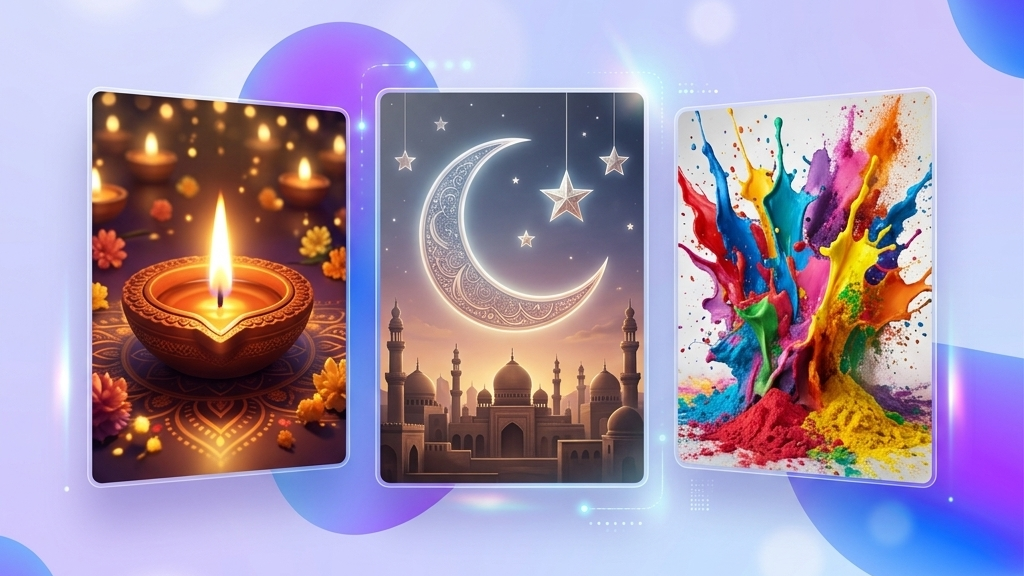
| Holi | March 4, 2026 (Holika Dahan: March 3) | Colorful, playful visuals; spring renewal messaging |
| Eid-ul-Fitr | Approx. April 20-21, 2026 (moon sighting dependent) | Warm greetings, family and community themes |
| Diwali | November 8, 2026 | Diyas, lights, prosperity and gratitude messaging |
| Christmas | December 25, 2026 | Festive, warm, gift and gathering themes |
Note: Eid-ul-Fitr's exact date depends on moon sighting and can shift by a day; confirm the final date closer to the festival before finalizing scheduled content. Re-verify all dates against a current Indian holiday calendar before publishing, since religious festival dates are recalculated yearly.
Sample Templates by Festival
Templates should be prepared for the four major festivals above, plus regional festivals many national tools skip: Pongal and Sankranti (mid-January), Onam (late August/early September), and Raksha Bandhan (August), each with region-appropriate colors and imagery. Covering regional festivals is often where a business earns real goodwill, since these occasions receive far less generic content from competitors than Diwali or Christmas.
Tips for Festival Marketing on Social Media
- Timing is everything: Post a day or two before the festival, not on the day itself, when audiences are less likely to be online.
- Greeting over sales: Keep the brand message secondary to the greeting; an overly sales-heavy festival post reads as tone-deaf.
- Multi-platform adjustment: Reuse the same template across platforms but adjust caption length and hashtags for each.
It is also worth planning festival content at least two to three weeks ahead as a batch, rather than one at a time, so that logos, taglines, and offers are consistent across the whole festival season instead of improvised each time a date approaches.
Building a Festival Content Calendar
Many businesses treat festivals as isolated one-off posts rather than a connected calendar, which means the same last-minute scramble repeats every few weeks during the busiest stretch of the Indian festival season, roughly August through November. A better approach is to block out every festival relevant to your customer base at the start of the year, generate draft posts for all of them in one sitting using the tool, and then simply review and fine-tune each one as the date approaches. This turns a recurring stressful task into a single planning session, and ensures no festival gets skipped simply because it snuck up on the calendar.
Frequently Asked Questions (FAQs)
Is the festival post generator free?
Yes, you can generate a branded festival post at no cost on our free plan.
Can I add my own logo and brand colors?
Yes, upload your logo and choose your brand colors before generating, and the output will apply them automatically, and your settings are saved for future festival posts.
Does it cover regional festivals beyond the major four?
Yes, templates also cover regional festivals such as Pongal, Onam, and Raksha Bandhan, in addition to Diwali, Holi, Eid, and Christmas.
Can I schedule the post for a future date instead of posting immediately?
Yes, once generated, a post can be scheduled ahead of time to publish automatically on your chosen date and time, which is useful for planning an entire festival season in one sitting.
Will the generated post look the same as other businesses using the tool?
The generator uses your uploaded logo and brand colors to customize each output, so results vary business to business even when starting from a similar template or festival theme.
Can I generate posts for multiple festivals at once?
Yes, you can run the generator separately for each festival on your calendar and batch-schedule the results in a single planning session.
Does the tool suggest a caption along with the design?
Yes, a festival-appropriate caption is generated alongside the visual, which you can edit before publishing or scheduling.
Is the festival calendar updated automatically each year?
The tool aims to reflect current festival dates, but since some dates like Eid depend on moon sighting and shift slightly year to year, it is good practice to confirm the exact date against a current calendar close to the festival.
Ready to create stunning festival posts for your business?
Generate Your Festival Post Free and connect with your audience this festive season!